Every transaction, from everywhere, in one ledger.
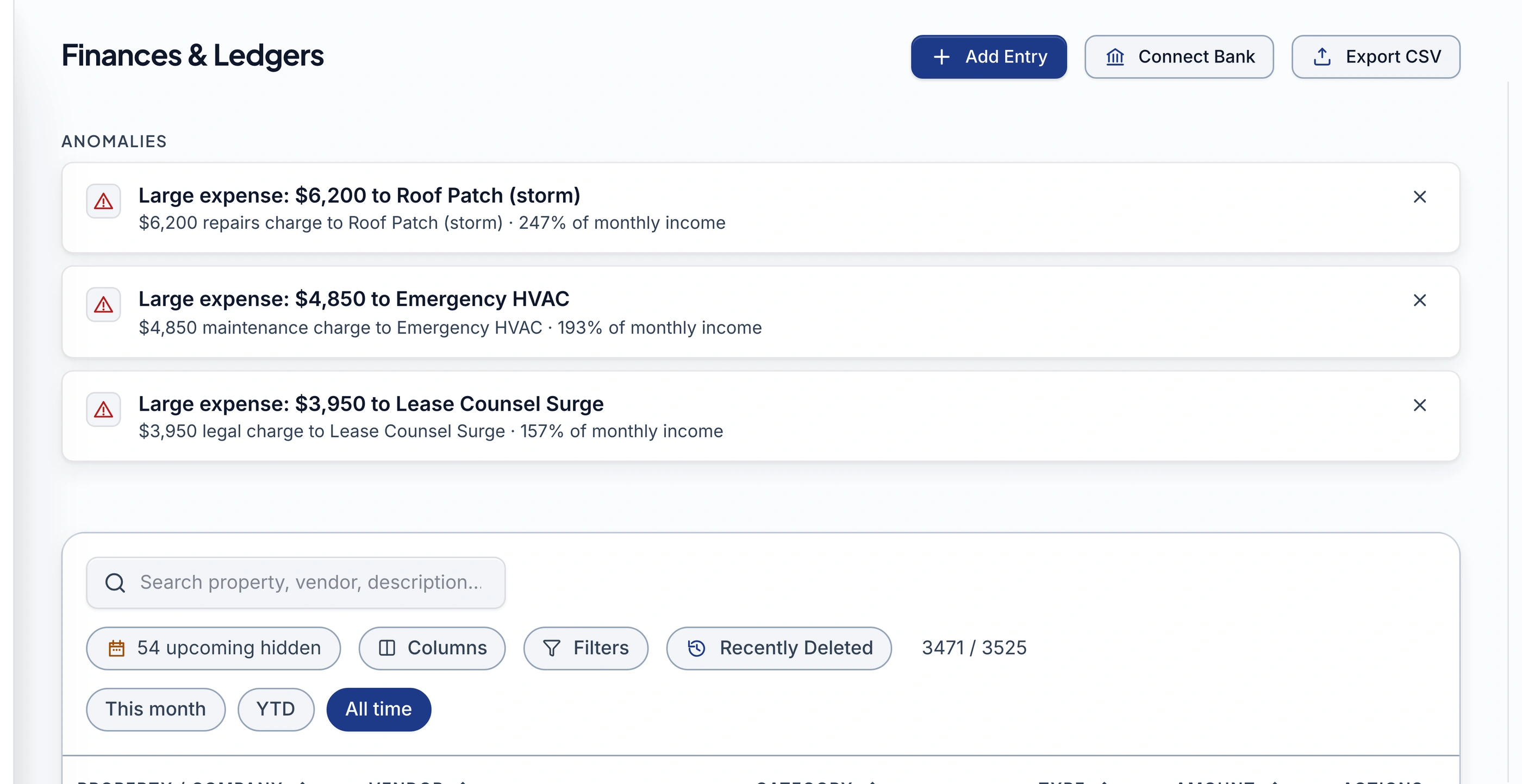
Manual entries, bank imports, and AI-extracted documents all land in the same place: categorized automatically, routed to the right property, and searchable in seconds.
- standard categories, the same list everywhere
- 31
- transaction types, inferred from category
- 5
- ways a transaction can land here
- 3
- attach a receipt to any transaction
- 20 MB
Categorized the moment it lands
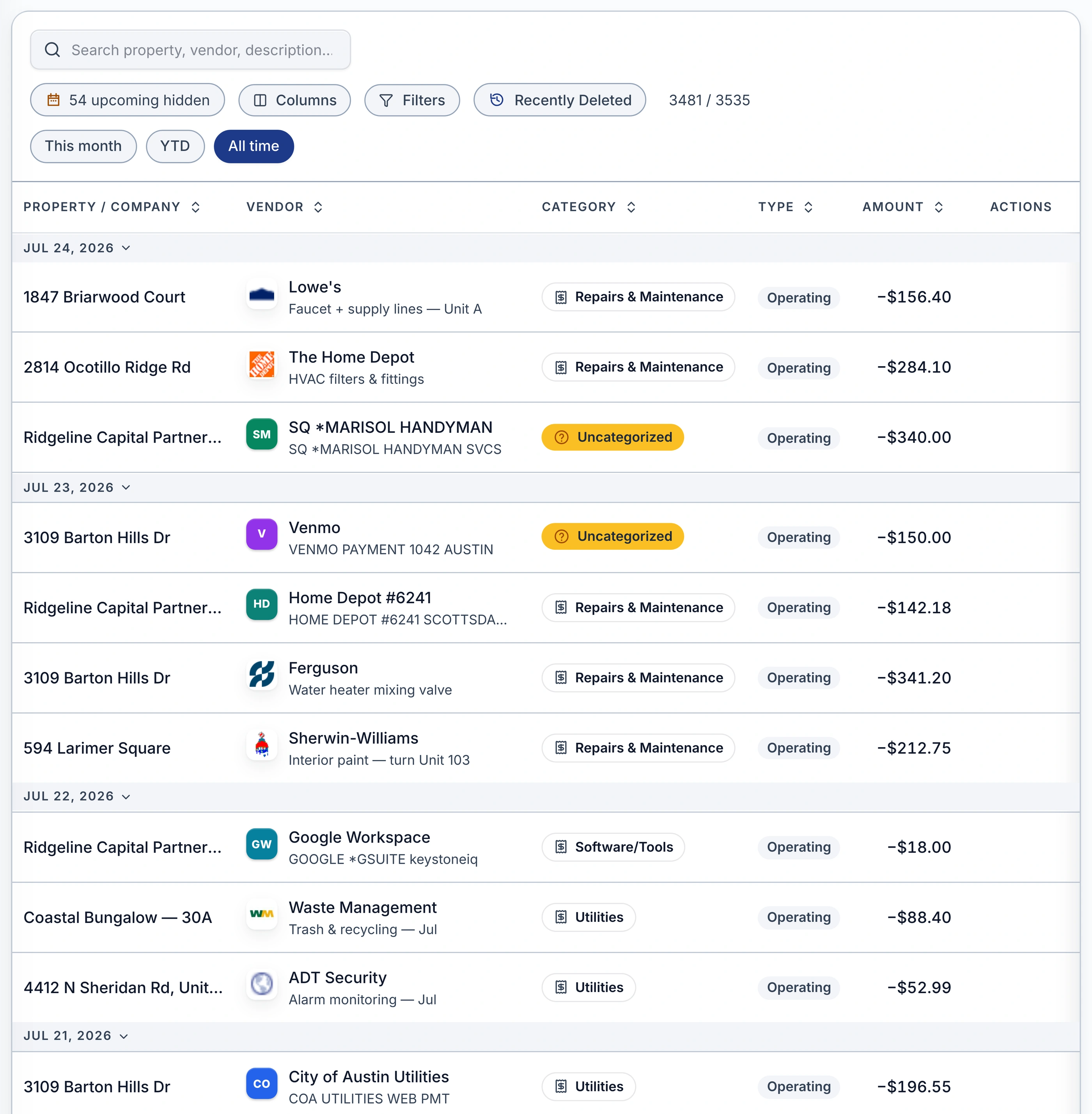
Pick one category and the transaction type follows automatically; anything the system isn't sure about lands as Uncategorized instead of holding anything back.
- One category sets the type and the tax line together
- Anything unclear posts as Uncategorized, never blocked
- Recategorize or move it to a different property anytime
Every property, routed automatically
The property name is the routing key for every transaction, so a five-property portfolio and a fifty-property one both work the same way: one ledger, filterable to any single property.
- Property is set once, on the entry or the source document
- Filter to one property, or see the whole portfolio at once
- Overhead and personal spending stay out of your portfolio totals
Manual, bank, or AI-extracted, it's one ledger either way
Type an entry by hand, connect a bank for automatic import (Pro), or upload a document for Gemini to read; every row lands in the same table no matter which door it came through.
- Manual entry, on every plan
- Bank-imported transactions post the moment they clear (Pro)
- AI-extracted from an invoice, statement, or a photo of a receipt
Search, filter, and export in seconds
Search by property, vendor, or description, filter to a date range, and export exactly what you're looking at to CSV whenever you need it.
- Search across property, vendor, and description at once
- Filter by month, year to date, or a custom range
- Export any filtered view to CSV
What you get
Manual entry
one category picks the type automatically
AI document extraction
invoices, statements, receipt photos
Uncategorized review
nothing blocked, nothing hidden
Property & entity routing
set once, filterable anytime
Search, filter & CSV export
property, vendor, description, date
Bank importPro
posts the moment a transaction clears
Receipts on any transactionPro
proof filed next to the number
Frequently asked questions
Is entering transactions manually included on the Starter plan?
Yes. Manual entry, editing, categorization, search, filtering, and CSV export are all included on every paid plan. Bank import and attaching a receipt to a transaction are Pro features.
What does it mean when a transaction is marked Uncategorized?
It's already counted, not held back. When the category isn't obvious, the transaction posts as Uncategorized instead of waiting in a queue, and that list is the review step: open it, pick a category, done. Nothing about your NOI or reports waits on that choice.
Can I attach a receipt to a transaction I already entered?
Yes, on Pro. Open the transaction and attach a PDF or photo up to 20 MB; it's stored the same way as the Document Vault, just linked to that exact entry. A Pro-to-Starter downgrade keeps read access to what's already attached.
How is the property assigned to a transaction?
The property name is the routing key. Set it once on a manual entry or a bank-connection destination, or let a processed document's own address determine it; every read of the ledger can then filter to one property or show the whole portfolio.
Can I get my data back out, not just look at it here?
Yes. Any filtered view of the ledger, whichever properties, categories, or date range you've selected, exports to CSV. It's the same underlying data your reports and tax package are built from.
Stop keeping two versions of your books.
One ledger for everything you type, import, or upload. Join the waitlist to put your whole portfolio's transactions in one place.
Join the Waitlist14-day free trial · No credit card