See where every dollar of property spend goes.
Every payment groups by vendor and category automatically, so you can see who you lean on too heavily and where consolidating could help.
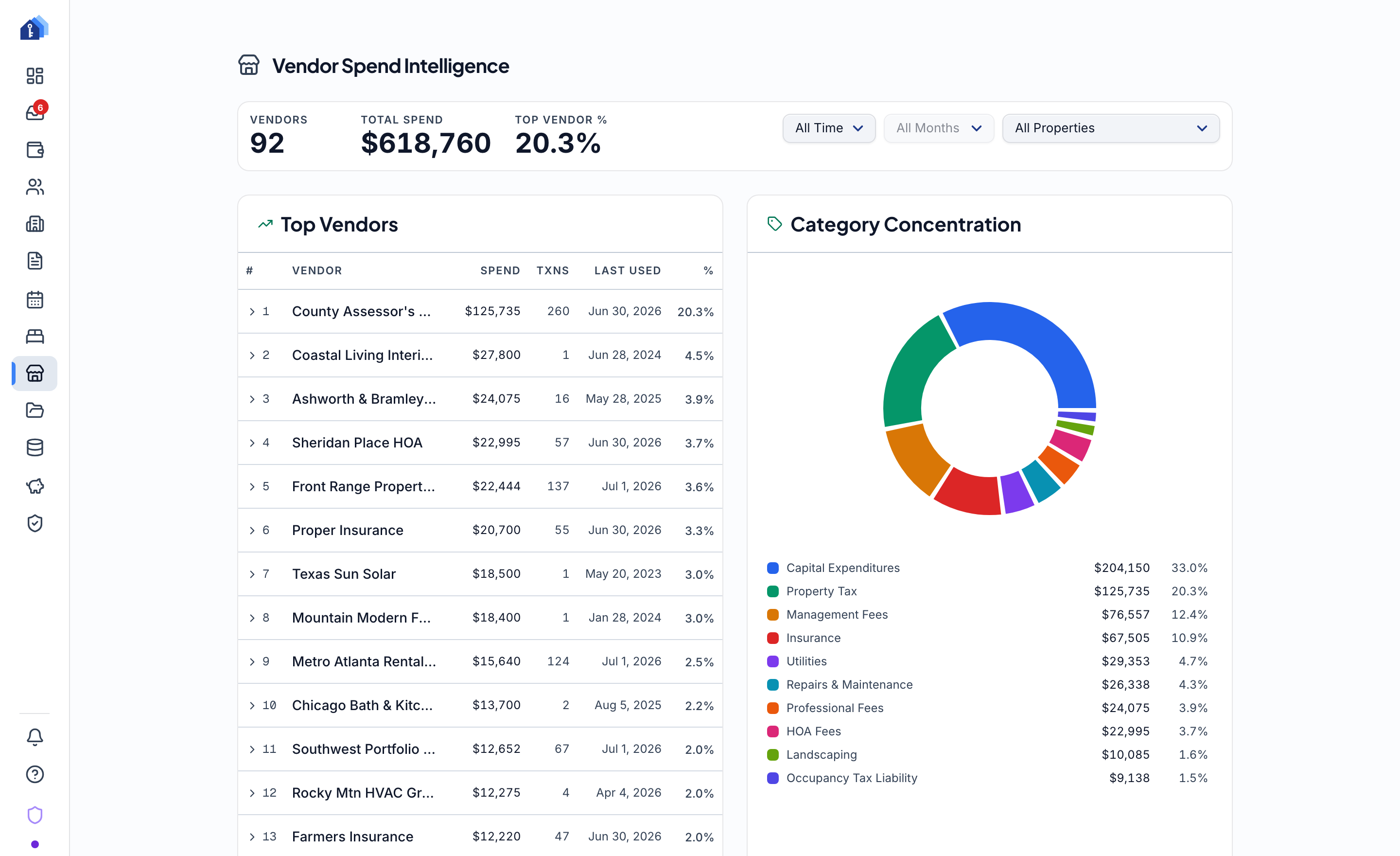
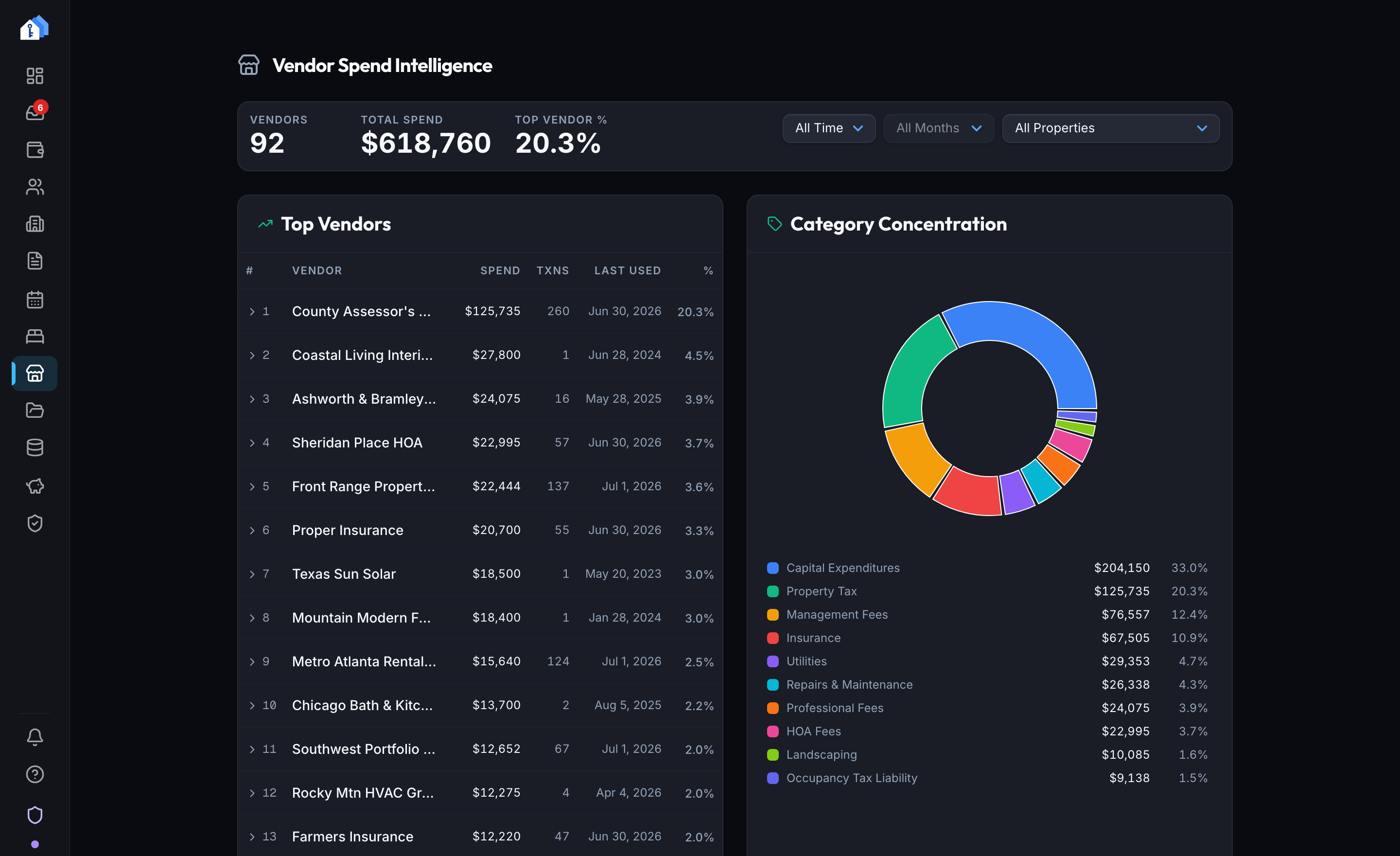
- top vendors ranked
- 20
- categories in the split
- 10
- of spend reviewed by AI
- 24 months
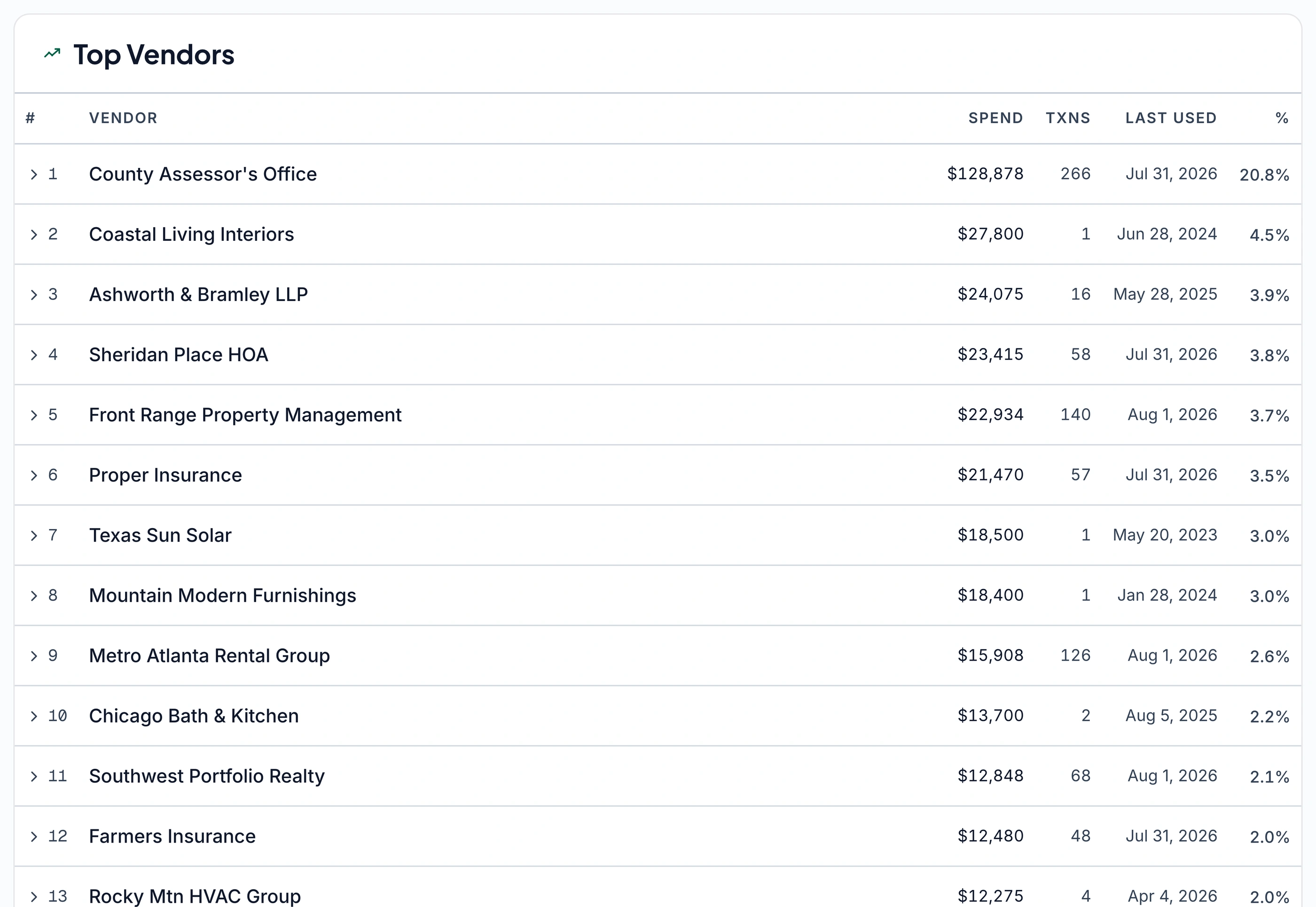
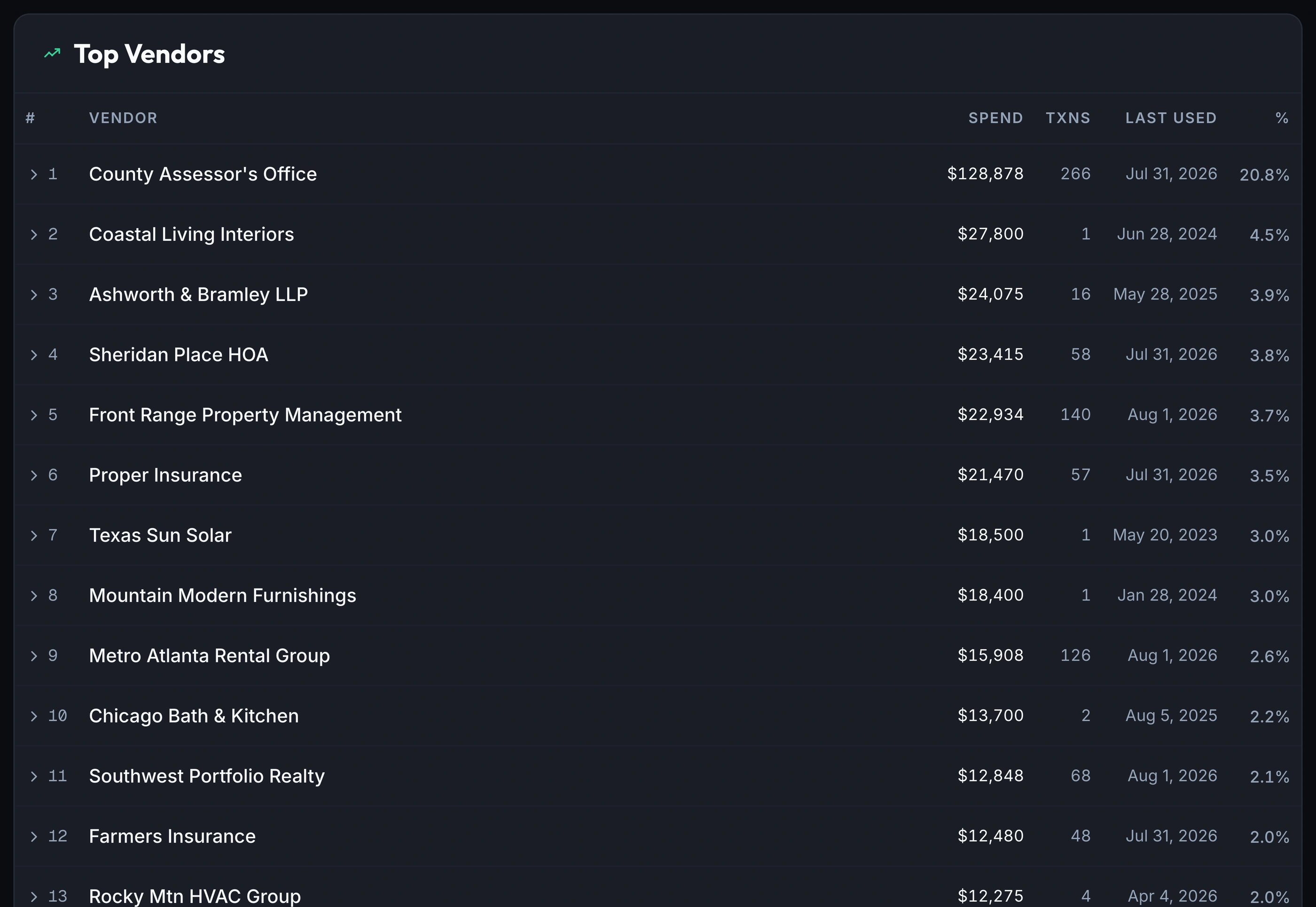
Every vendor, ranked automatically
Every invoice, receipt, mortgage statement and bank transaction you've recorded already carries a vendor name; the Vendors page just ranks it.
- Ranked by total spend, transaction count, and last-used date
- Portfolio-wide by default, or filter to one property
- No tagging step and no spreadsheet to maintain
See where spend concentrates
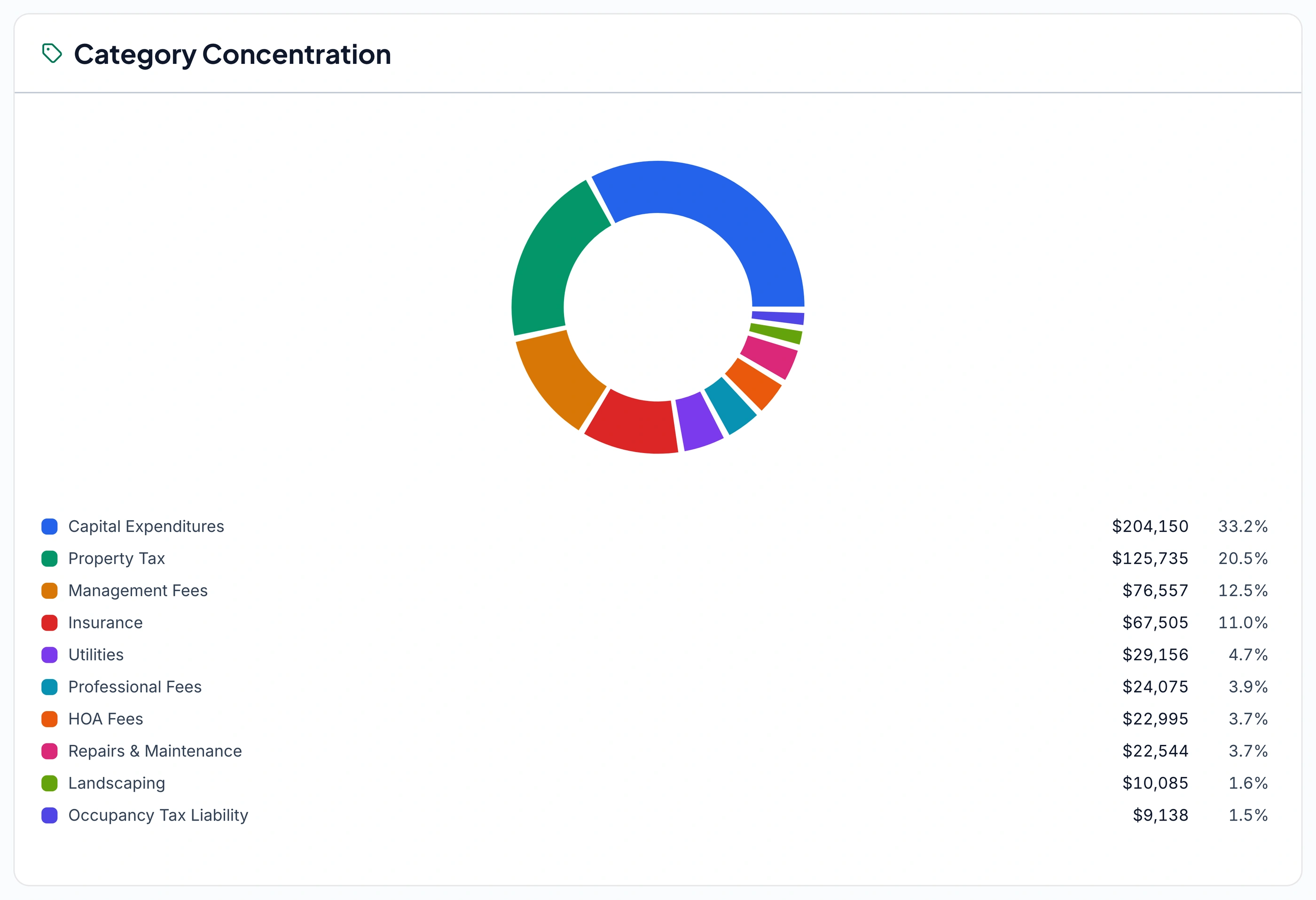
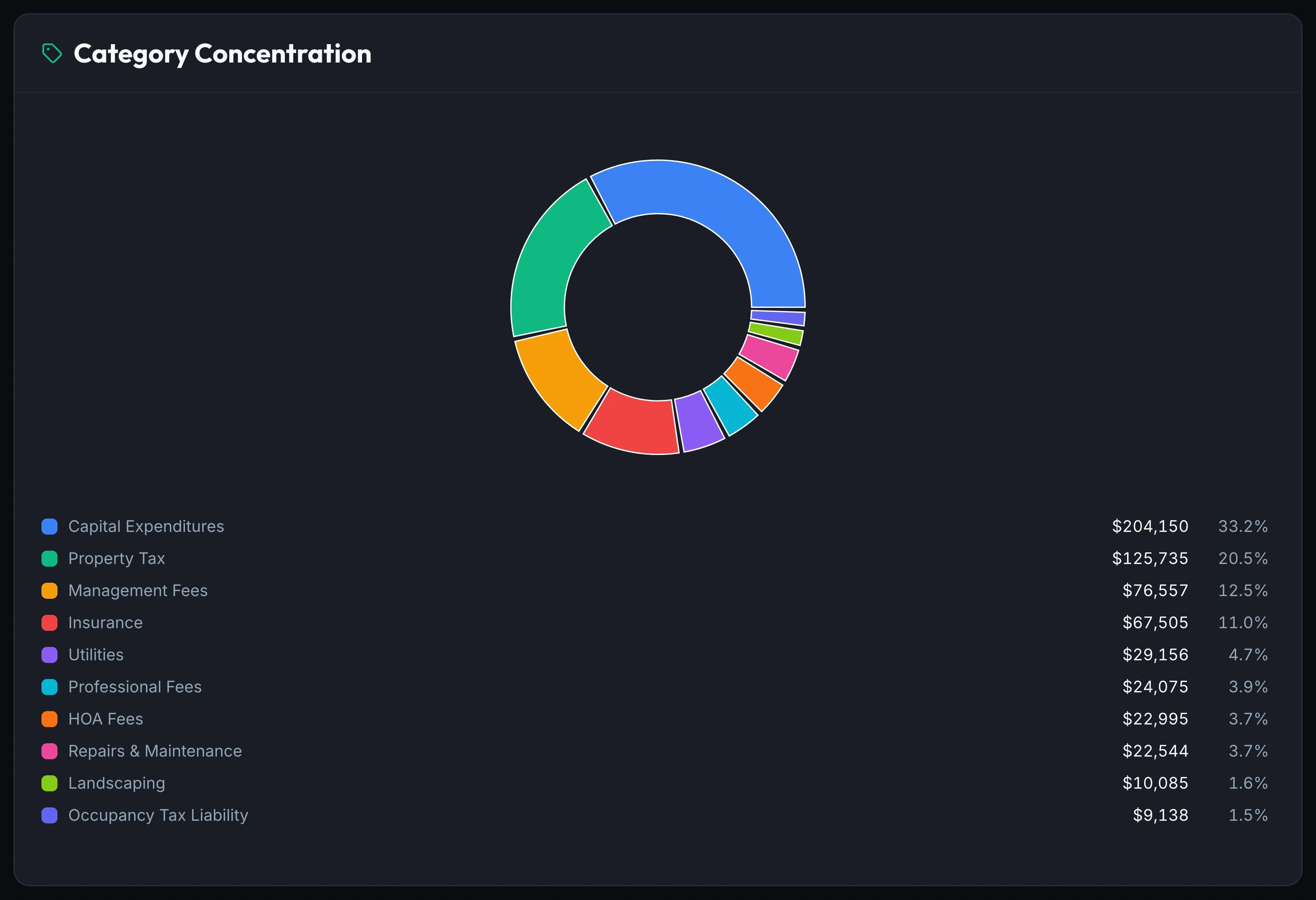
The Category Concentration chart splits total spend across capital expenditures, taxes, management fees and insurance, so a lopsided category stands out.
- Spend split by category, no manual tally required
- Each vendor's share of total spend, side by side
- A concentrated share is worth noticing before it's a problem
AI flags where consolidating helps
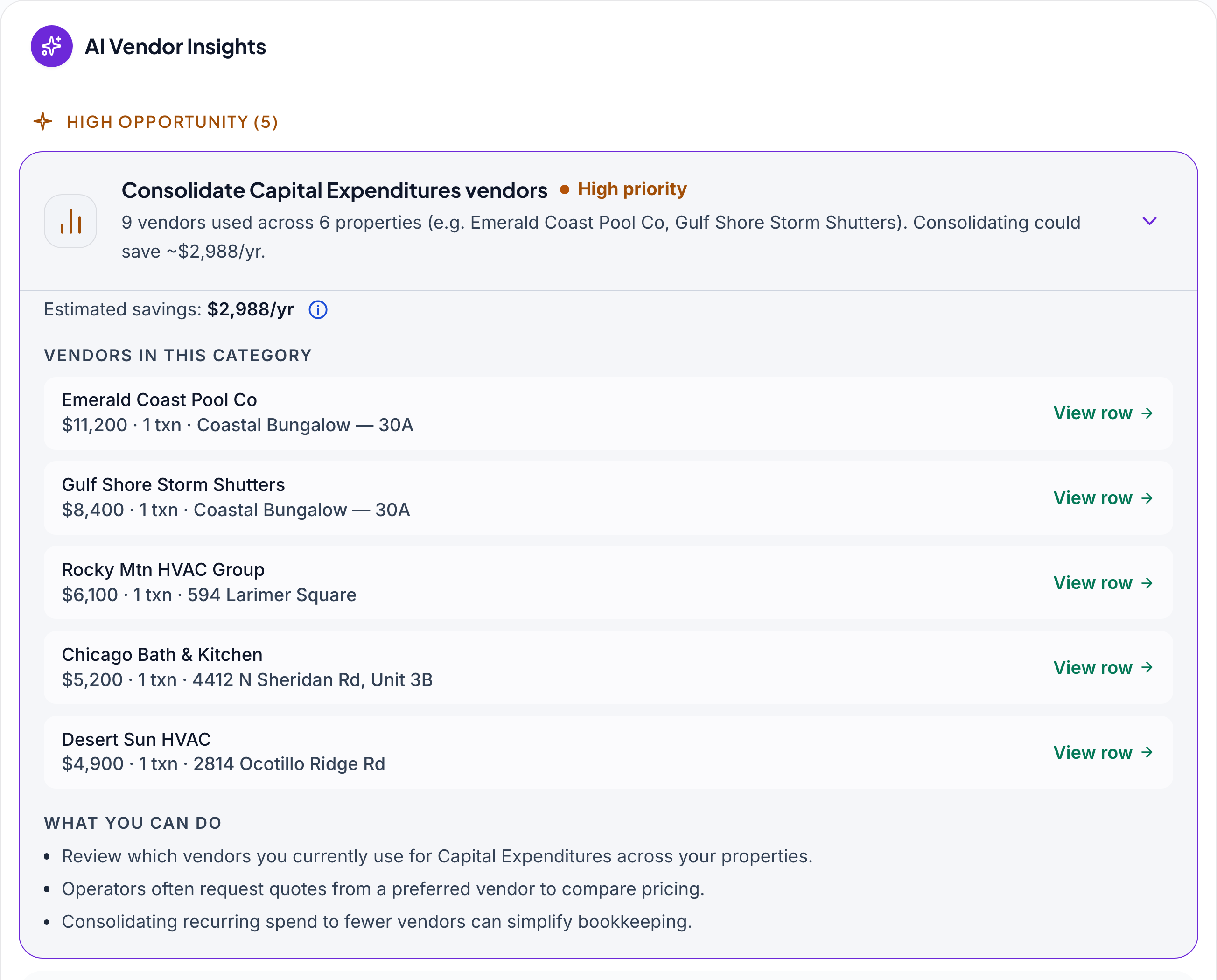
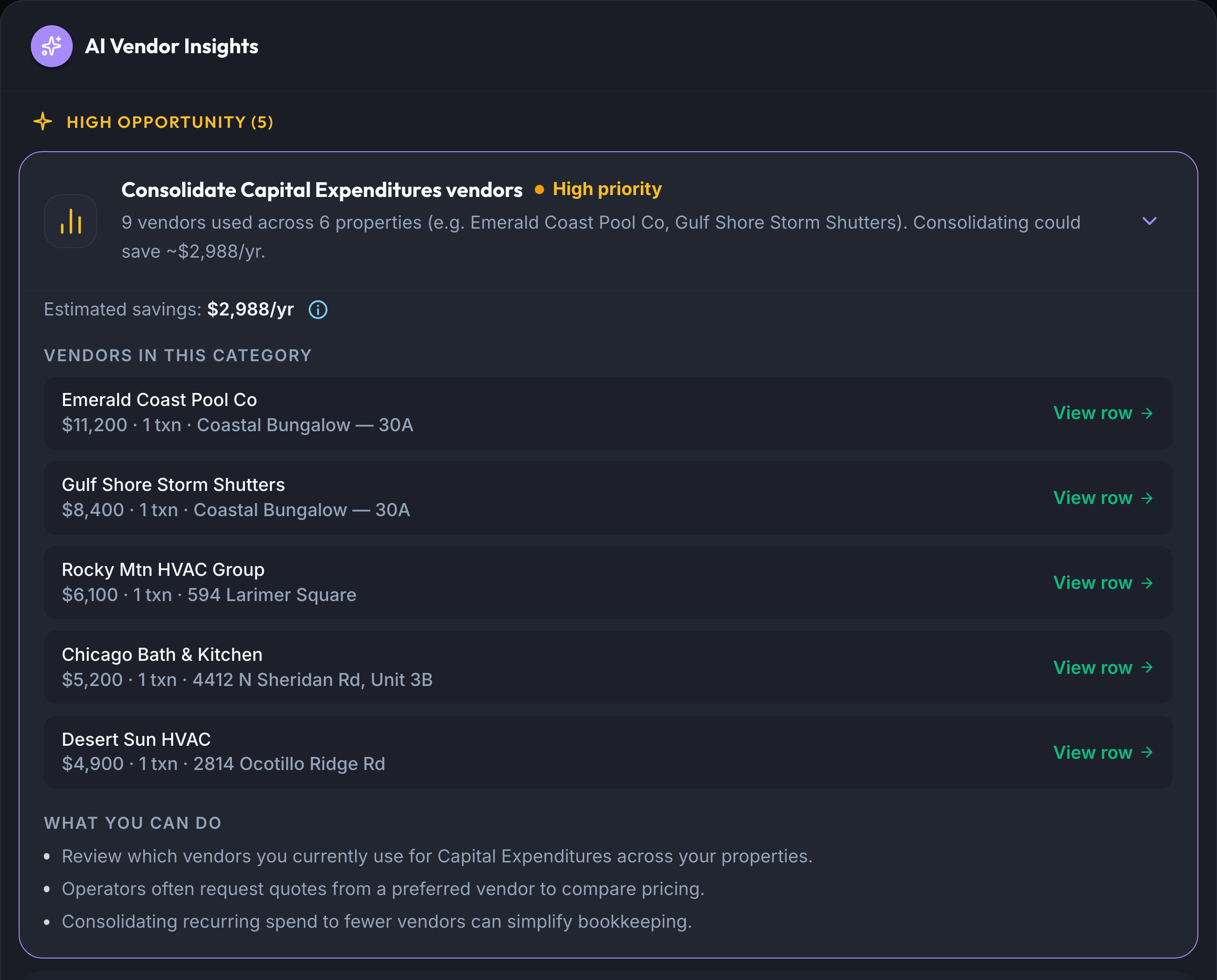
AI Vendor Insights, on Pro, flags vendors doing the same job across your properties and estimates what consolidating to one preferred vendor could save.
- Flags categories where two or more vendors overlap
- Lists every vendor behind the number: spend, count, property
- An estimate from your data, never a promised saving
Filter to any property or portfolio
Narrow the vendor ranking, the category split, and the Pro AI Vendor Insights panel to one property or a single month, or leave it portfolio-wide.
- One property, one month, or the whole portfolio
- Switching the filter is the only step needed
What you get
Top Vendors, ranked automatically
spend, transactions & last used
Category Concentration
spend split by category, portfolio-wide
Annual & monthly reporting
vendor & category, filterable
Property & period filters
one portfolio or a single property
AI Vendor InsightsPro
consolidation opportunities, math shown
Frequently asked questions
How does it know which vendor a payment belongs to?
Vendor is already recorded on the transaction. It's captured automatically when an invoice, receipt or mortgage statement is processed, or read from a connected bank transaction on Pro. The Vendors page just groups what's already in your ledger, so there's nothing to tag by hand.
What if the same vendor is paid from two or more properties?
Spend rolls up portfolio-wide by default, so a vendor billed across several properties shows as one combined total. Switch the property filter to see any single property's spend with that vendor on its own.
What does an AI Vendor Insights opportunity actually look like?
In one live example, nine vendors were used for Capital Expenditures across six properties, with an estimated $2,988 a year available by consolidating them. Every vendor, dollar amount and property is listed so you can check the arithmetic yourself before acting on it.
Is the AI Vendor Insights savings figure guaranteed?
No. It's an estimate based on your own transaction history, and every vendor and dollar amount behind it is listed so you can check the arithmetic yourself before acting on it.
Do I need to categorize vendors myself?
No. Category is recorded on each transaction the same way vendor is, from a processed document or an imported bank transaction, so the ranking and the category split happen automatically.
Is vendor spend tracking on the Starter plan, or is it Pro?
The Top Vendors table, Category Concentration, and vendor and category reporting are all included on Starter. AI Vendor Insights, the consolidation-opportunity drill-down, is a Pro feature.
See where your own vendor spend goes.
Vendor ranking and category concentration are on every paid plan; AI Vendor Insights is a Pro feature. Join the waitlist to try it on your own portfolio.
Join the Waitlist14-day free trial · No credit card
For informational purposes only. Computed from the data you provide; not investment, tax, or financial advice. Consult a qualified advisor before acting on any figure.
Projection computed from your current ledger and active leases. Not a guarantee of future performance, and not investment advice. Actual results may differ materially.